Portfolio page for your bio link
Your best work,one link away.
A single page for your Instagram bio: your best photos in the layout that suits them, the links that matter and a contact form that brings inquiries into your CRM.
Free plan, no expiry · No credit card required
- Link in bio
- Seven layouts
- Fifteen themes
- Masonry
- Parallax
- Your fonts
- Links
- Contact form
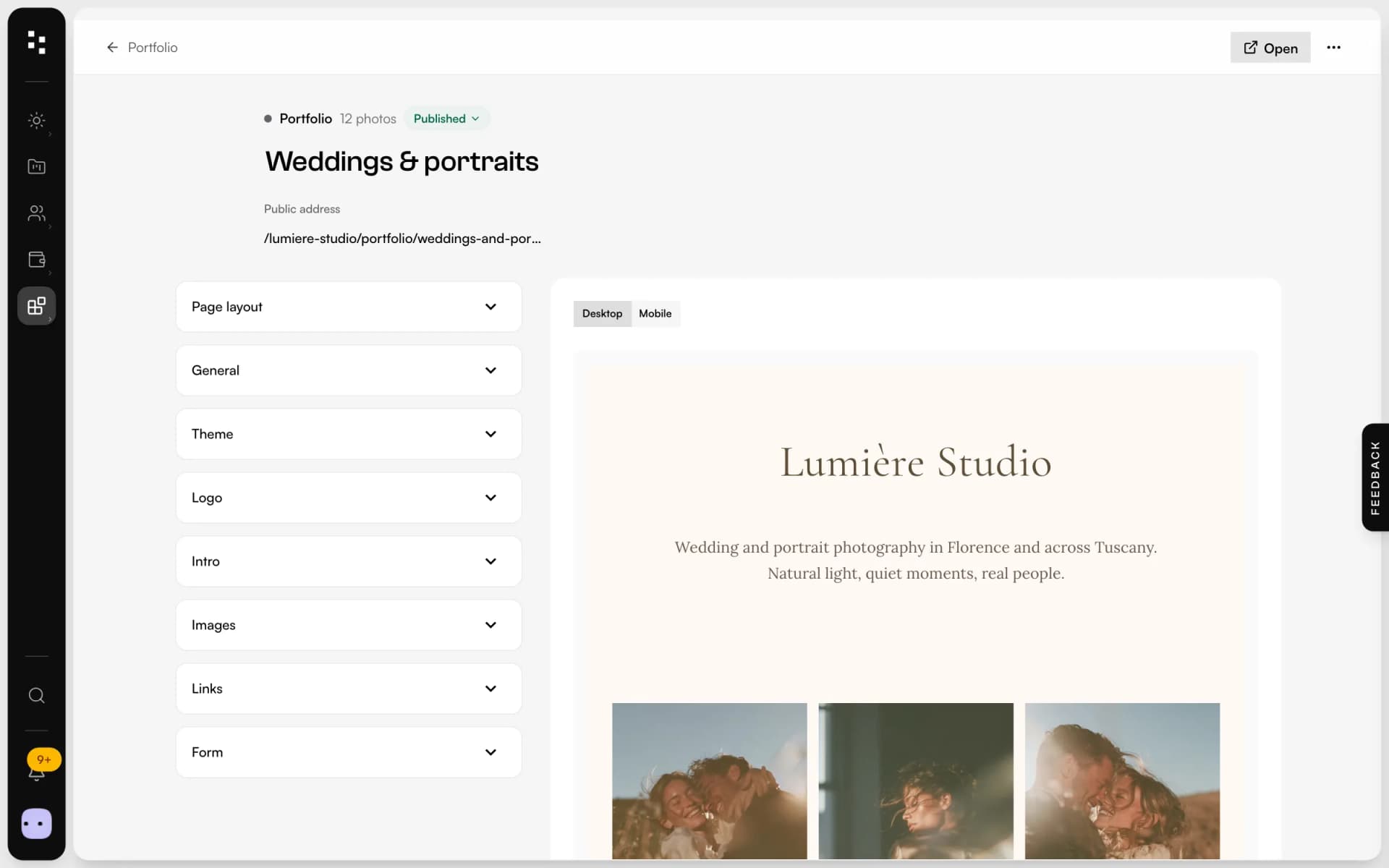
- Live preview
- Mobile preview
What is Mosaii.co Portfolio?
Mosaii.co Portfolio is a single page for the link in your bio. You pick photos from your media library, choose one of seven layouts and a theme, add the links you want to share and a contact form, then publish it at an address with your studio's name. It's lighter than a full website and lives in the same account as your clients and projects.
- Who it's for
- Photographers who want one link for Instagram, TikTok and their email signature
- Layouts
- Seven: classic, grid, masonry, horizontal, gallery, zoom parallax and vertical parallax
- Sections
- Logo, intro, links, photos and contact form, in the order you choose
- Address
- Your studio's name on Mosaii.co, followed by an address you choose for the page
One page.Everything they need to get in touch.
Build it in an afternoon, share it everywhere you post.
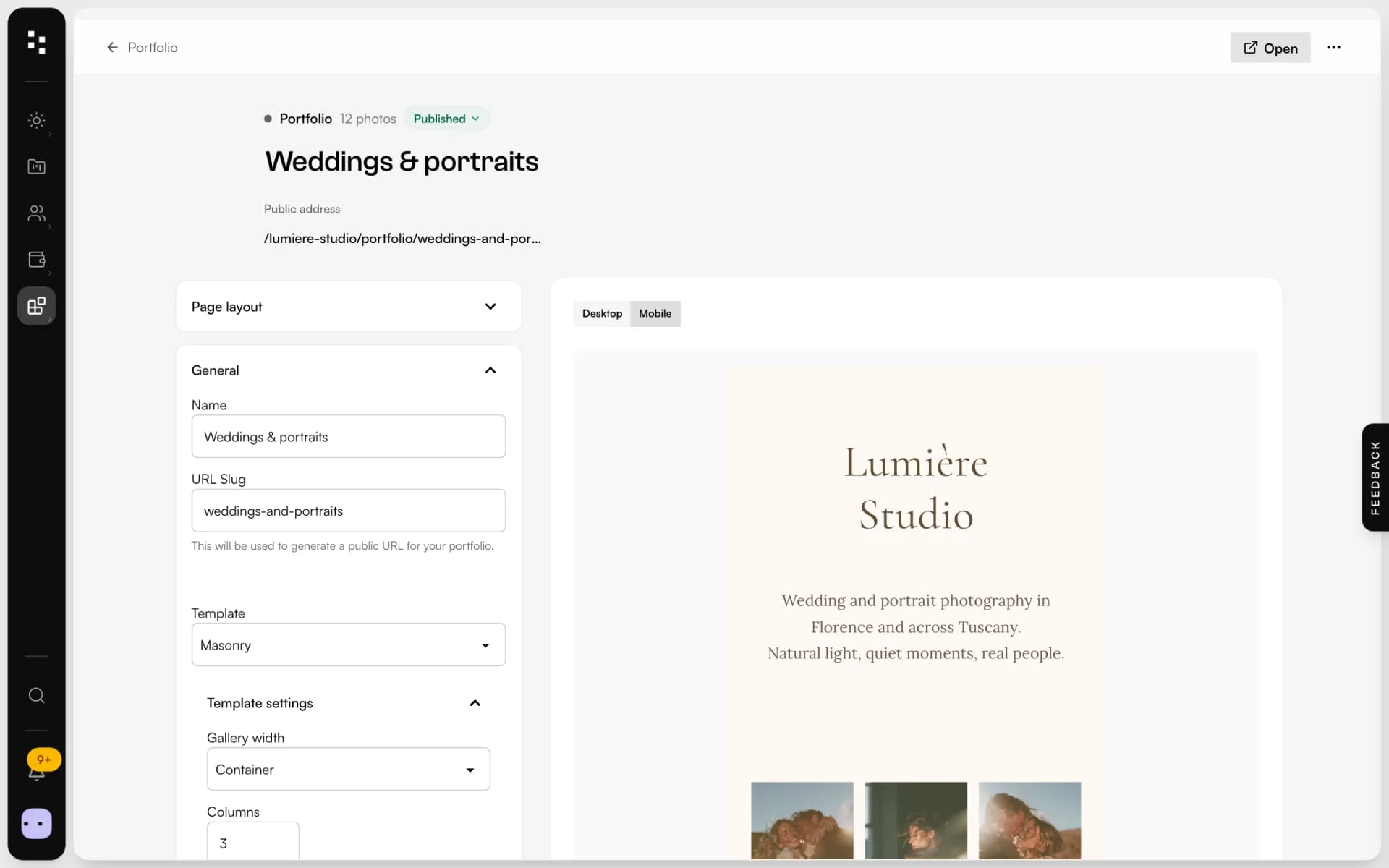
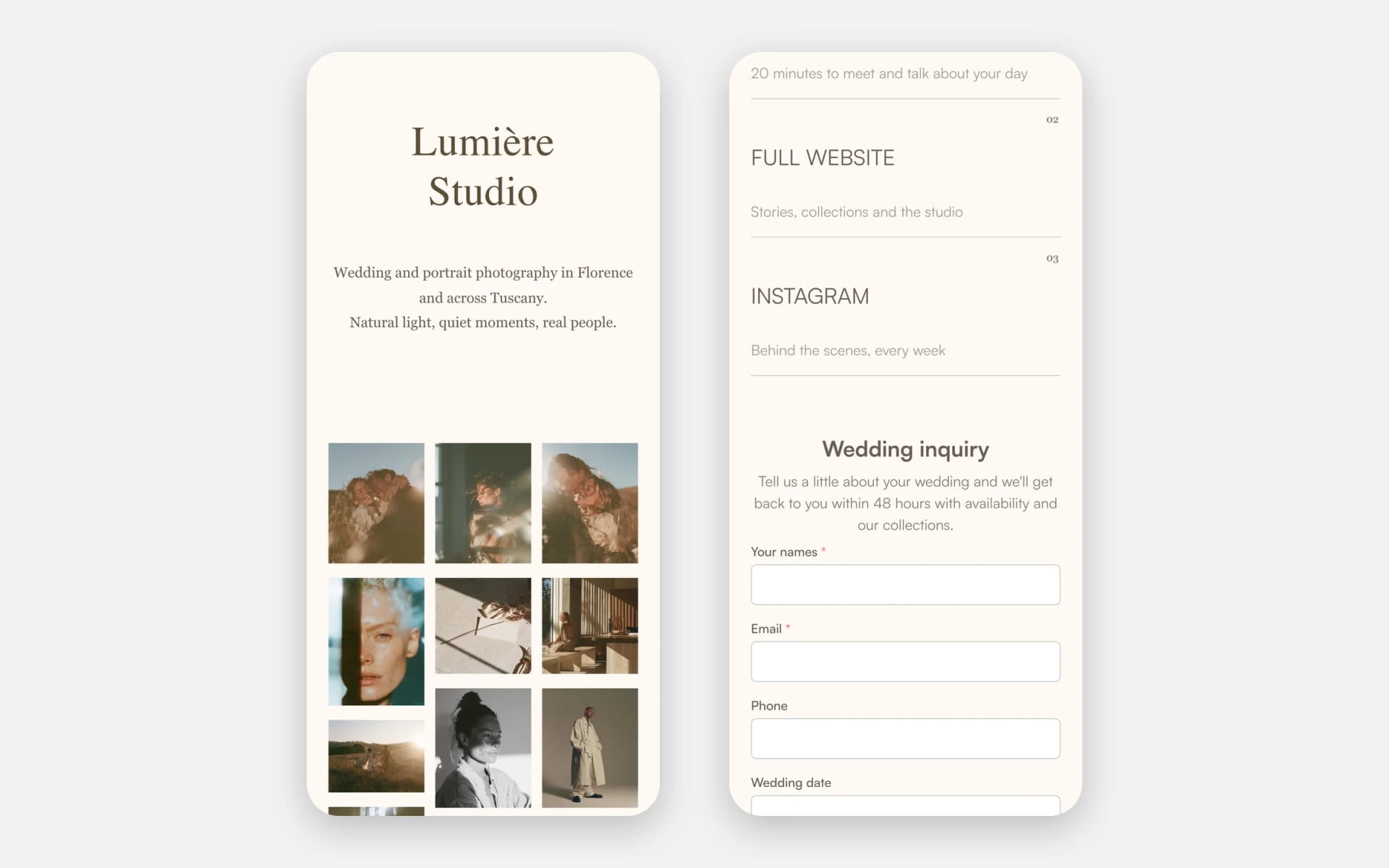
Choosea layout
Start from classic, grid, masonry, horizontal, gallery or one of two parallax layouts, then set columns, spacing and width.
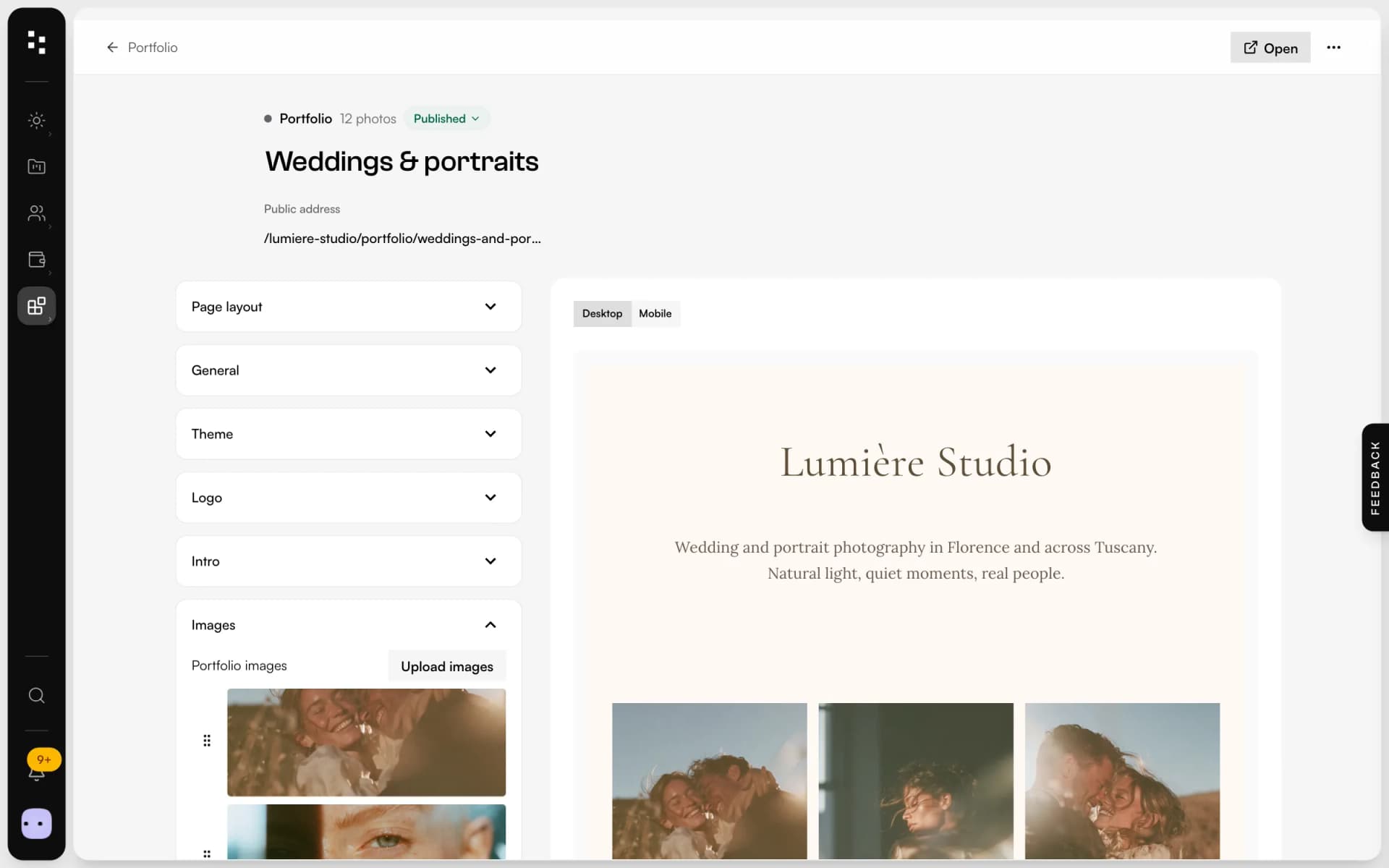
Pickyour photos
Choose them from your media library or drag new ones in: they're added to the library too. Reorder them by dragging and write alt text for each one.
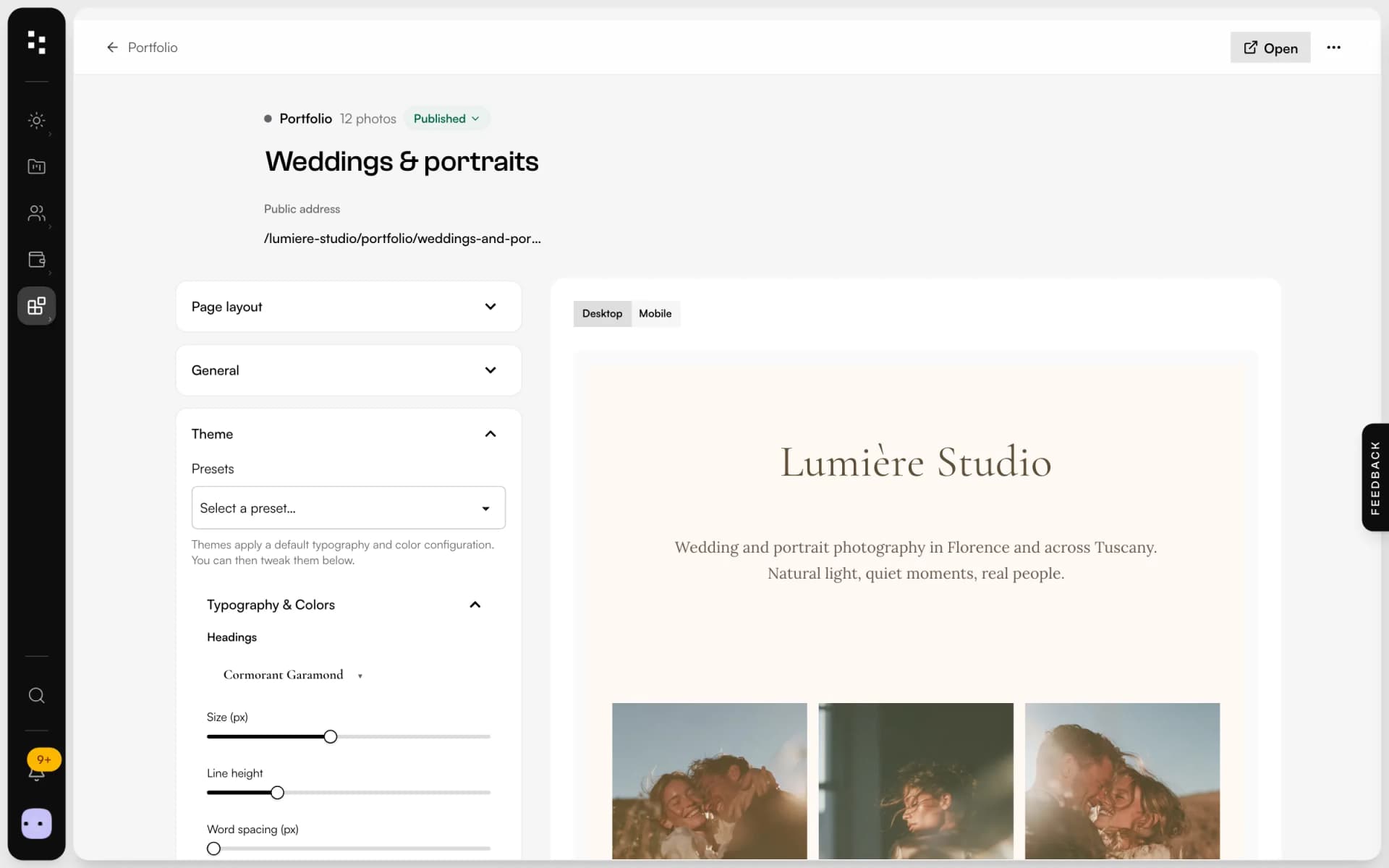
Style itlike your brand
Start from one of fifteen themes, then change fonts, sizes, spacing and colours for headings and text. Drag the sections into the order you want.
Sharethe link
Publish it and put the link in your bio. Visitors see your photos, your links and a contact form; what they send arrives in Mosaii.co with a notification.
Lighter than a website.Sharper than a profile grid.
Seven layouts
From a calm classic column to masonry and scroll-driven parallax.
Live preview
See the page on desktop or on a phone while you edit, and open a full preview before publishing.
Sections in your order
Logo, intro, links, photos and form: drag them into the order that tells your story.
Links that stand out
Large numbered rows with a title and a short line, for your booking page, website or latest story.
A real contact form
Use one of your published forms, with your own button text.
Straight from the library
Every photo you add lives in your media library, ready for your site and your moodboards.
Not another app.The next piece of your studio.
The portfolio opens the door. The Suite takes the client from the first message to the big day.
- 01Media libraryGather your work
- 02WebsiteGet found
- 03PortfolioShare your best workYou are here
- 04FormsReceive the inquiry
- 05BookingMeet the client
- 06Quotes & contractsSign and get paid
- 07MoodboardAgree on the look
- 08TimelineRun the day
How it connects
Less admin.More photography.
Without Mosaii.co
- A link-in-bio tool that knows nothing about your clients
- Inquiries lost in direct messages
- A profile grid that crops your photos
- Another subscription, another login
With Mosaii.co
- A page in the same account as your CRM
- A contact form that lands in Mosaii.co
- Layouts that let your photos breathe
- One login for site, portfolio and clients
Questions about Portfolio
What's the difference between a portfolio and the website builder?
The portfolio is a single page made of a few sections, built for the link in your bio. The website builder makes a full site with many pages, blocks, menus and your own domain. You can use both.
Which layouts can I choose?
Seven: classic, grid, masonry, horizontal scroll, gallery, zoom parallax and vertical parallax. Grid, masonry and gallery let you set columns and spacing.
Where do contact form messages go?
The form is one of your published Mosaii.co forms. Each message is saved with the form's responses and you get a notification and an email; depending on the form's fields, it can also create the client and the project in your CRM.
Can I choose the address?
Yes. The page lives under your studio's name on Mosaii.co, and you choose the last part of the address yourself.
Can I see it on a phone before publishing?
Yes. The editor has a desktop and a mobile preview, and you can open a full preview of the page before you publish it.
How much does it cost?
You can build and preview your portfolio on the free plan; publishing it is part of the paid plans. Plans and prices are on the pricing page.
Every piecefits the next.
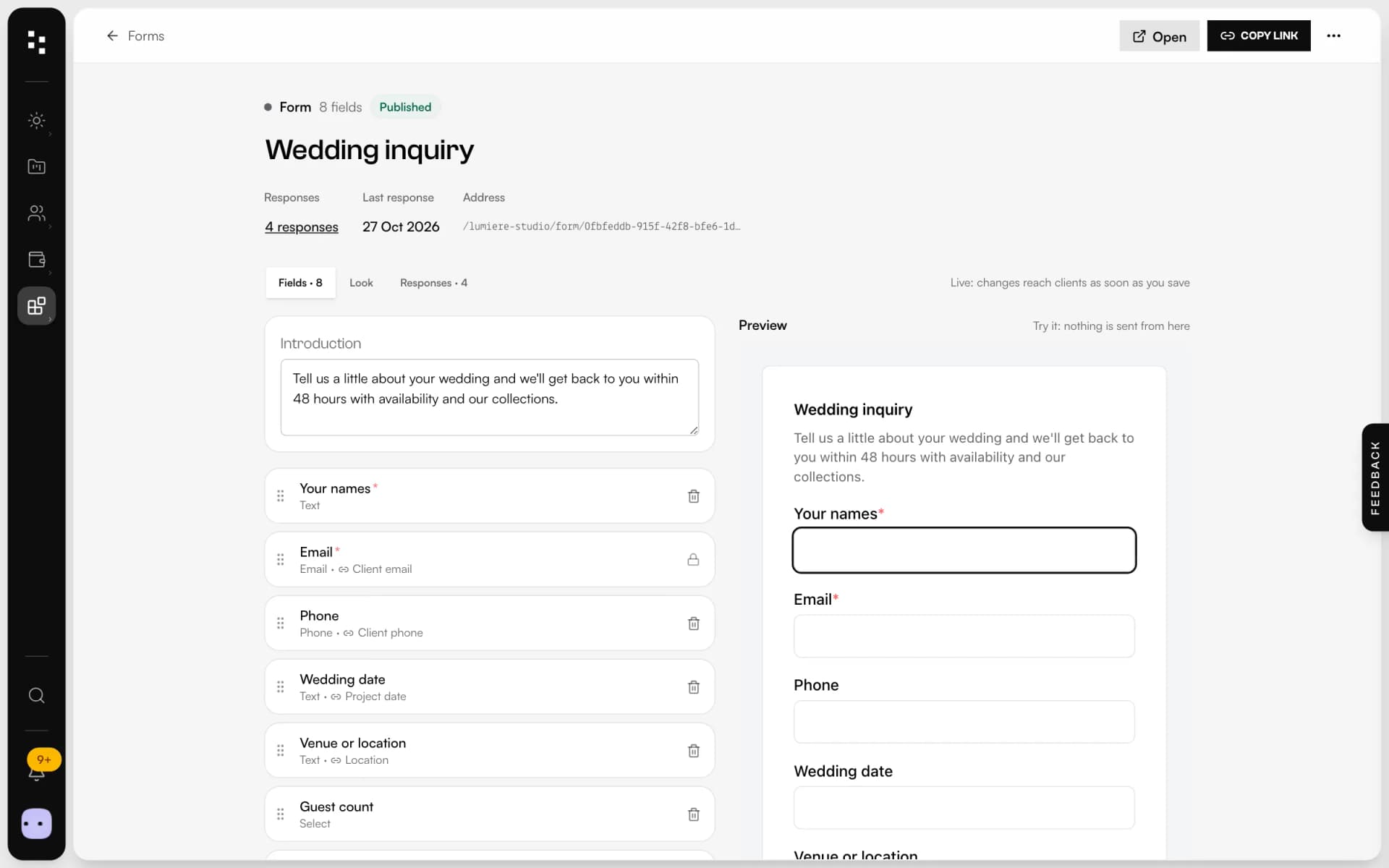
- Forms & questionnairesInquiries that become projects, answers that stay in them.Discover
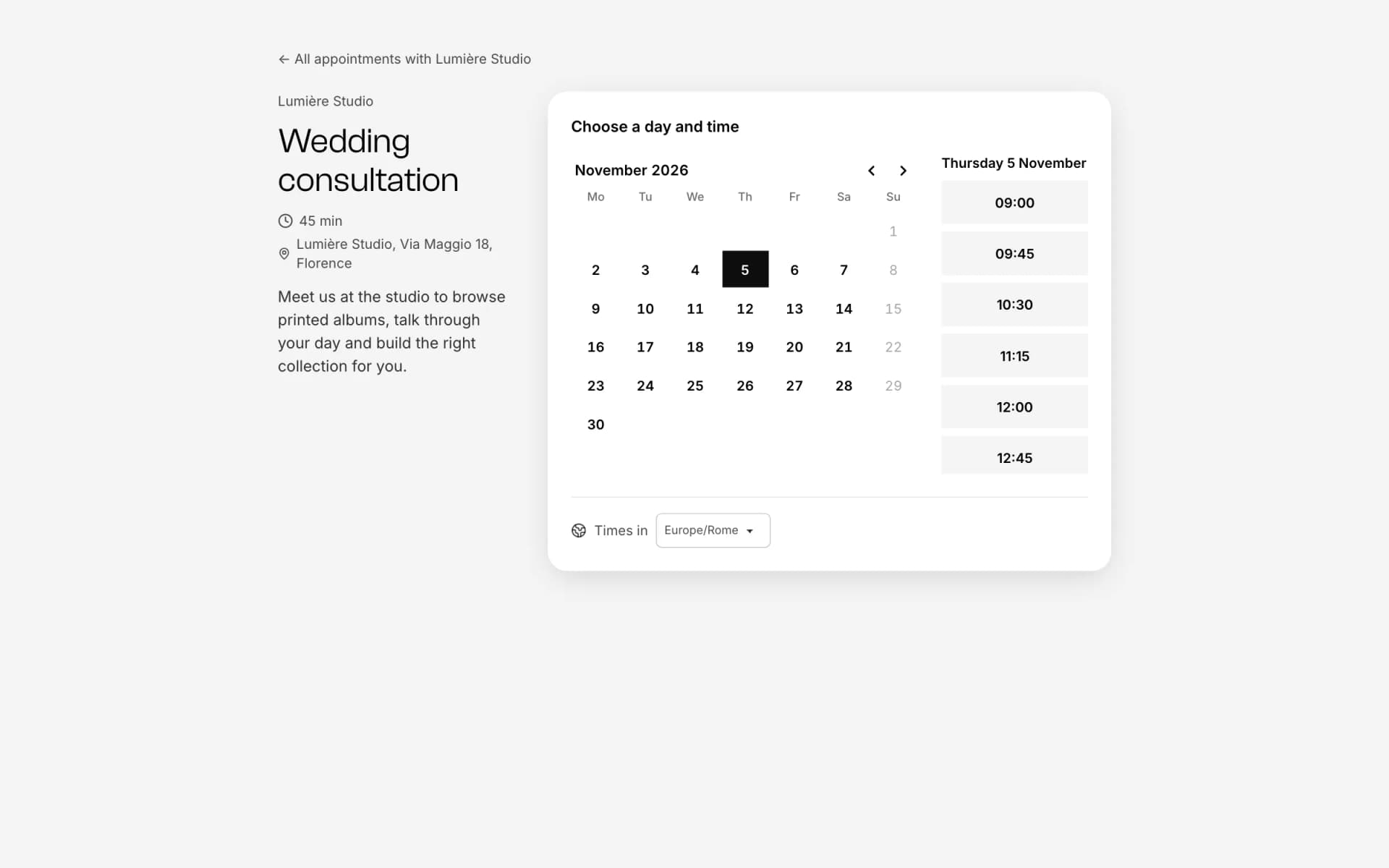
- Online bookingOne link, free slots, no back-and-forth emails.Discover
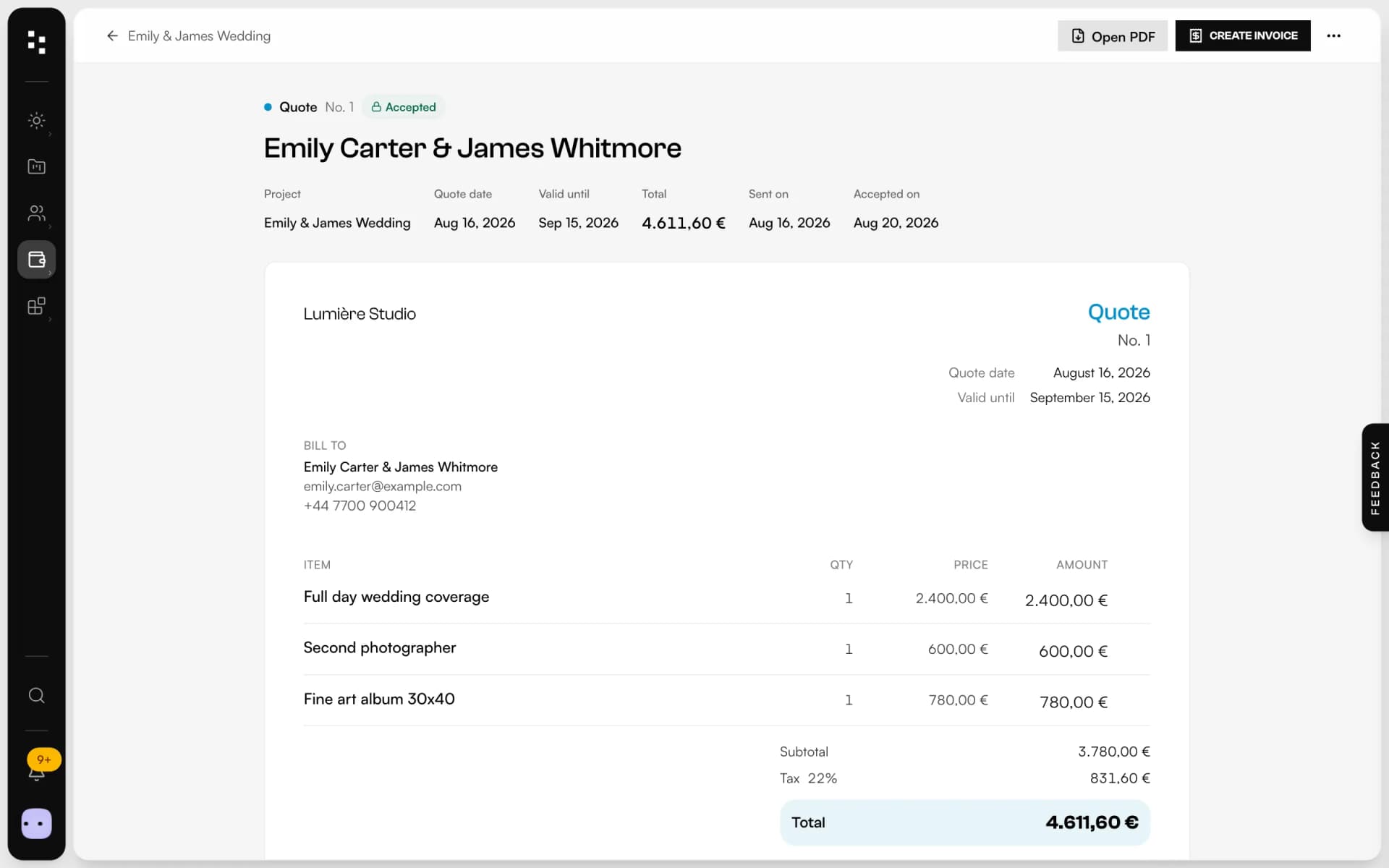
- Quotes, contracts & paymentsFrom the quote to the last payment, without retyping a line.Discover
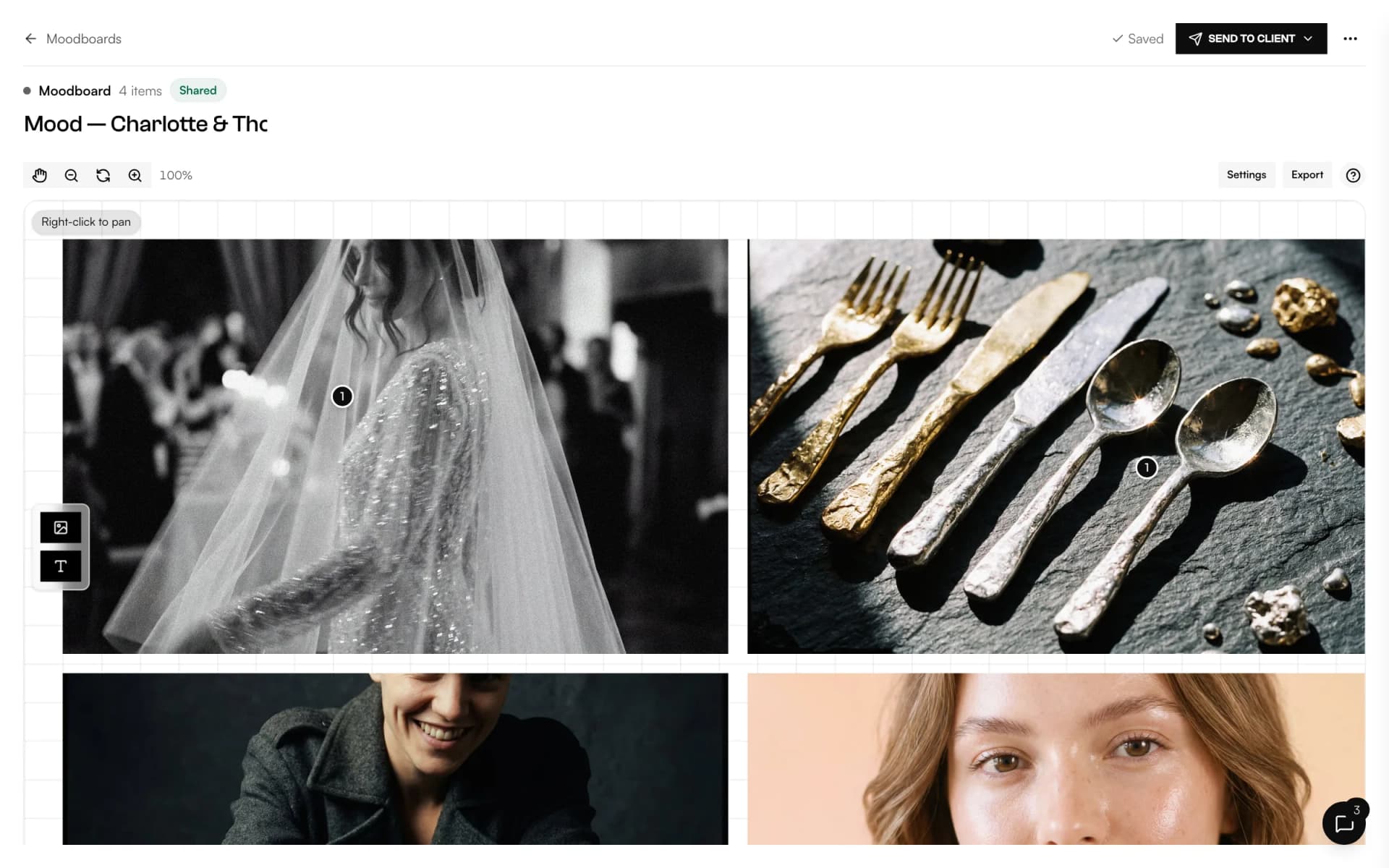
- MoodboardA shared canvas to agree on the look, with comments on every image.Discover
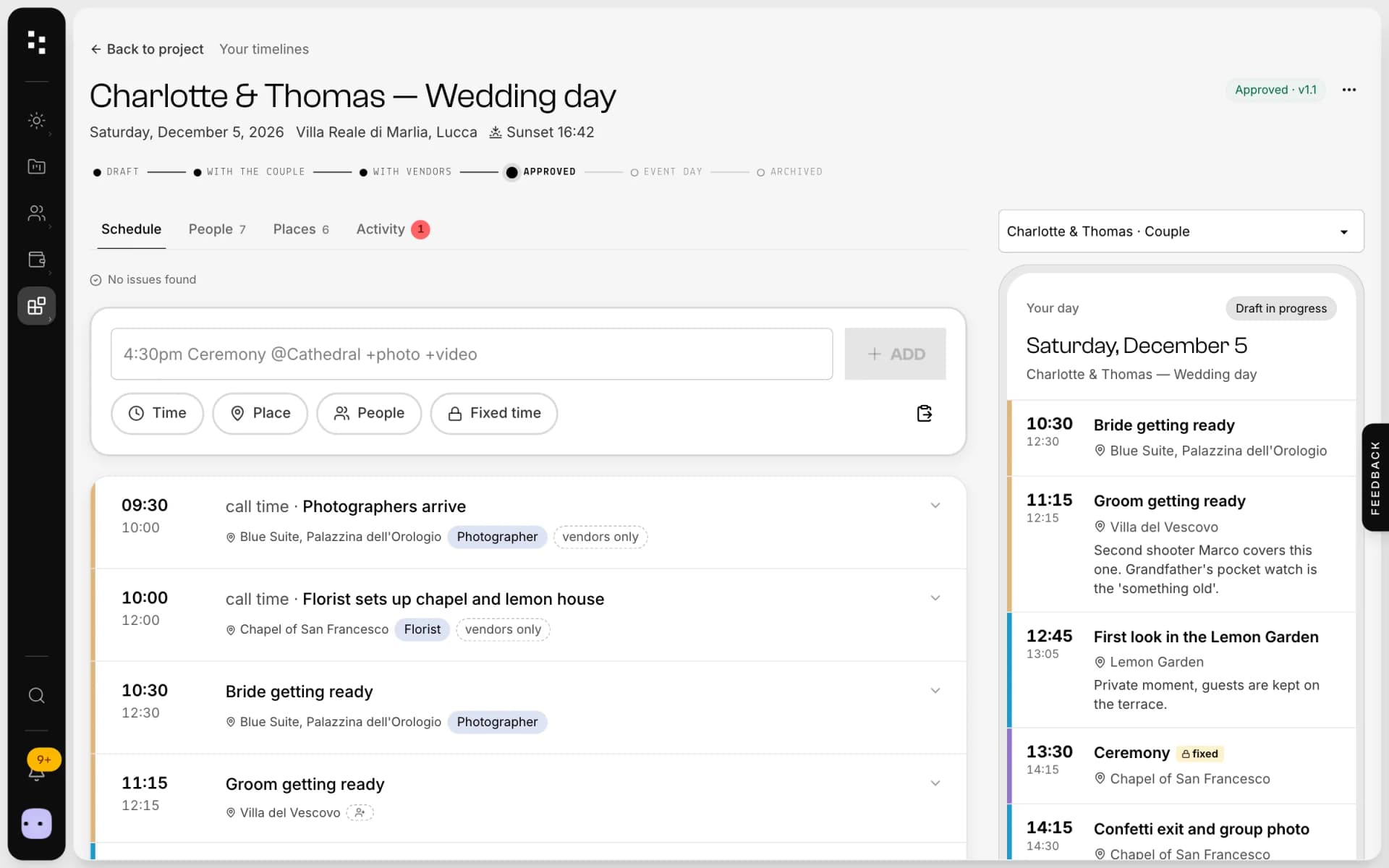
- Wedding timelineOne wedding-day schedule; the couple and every vendor read their part.Discover
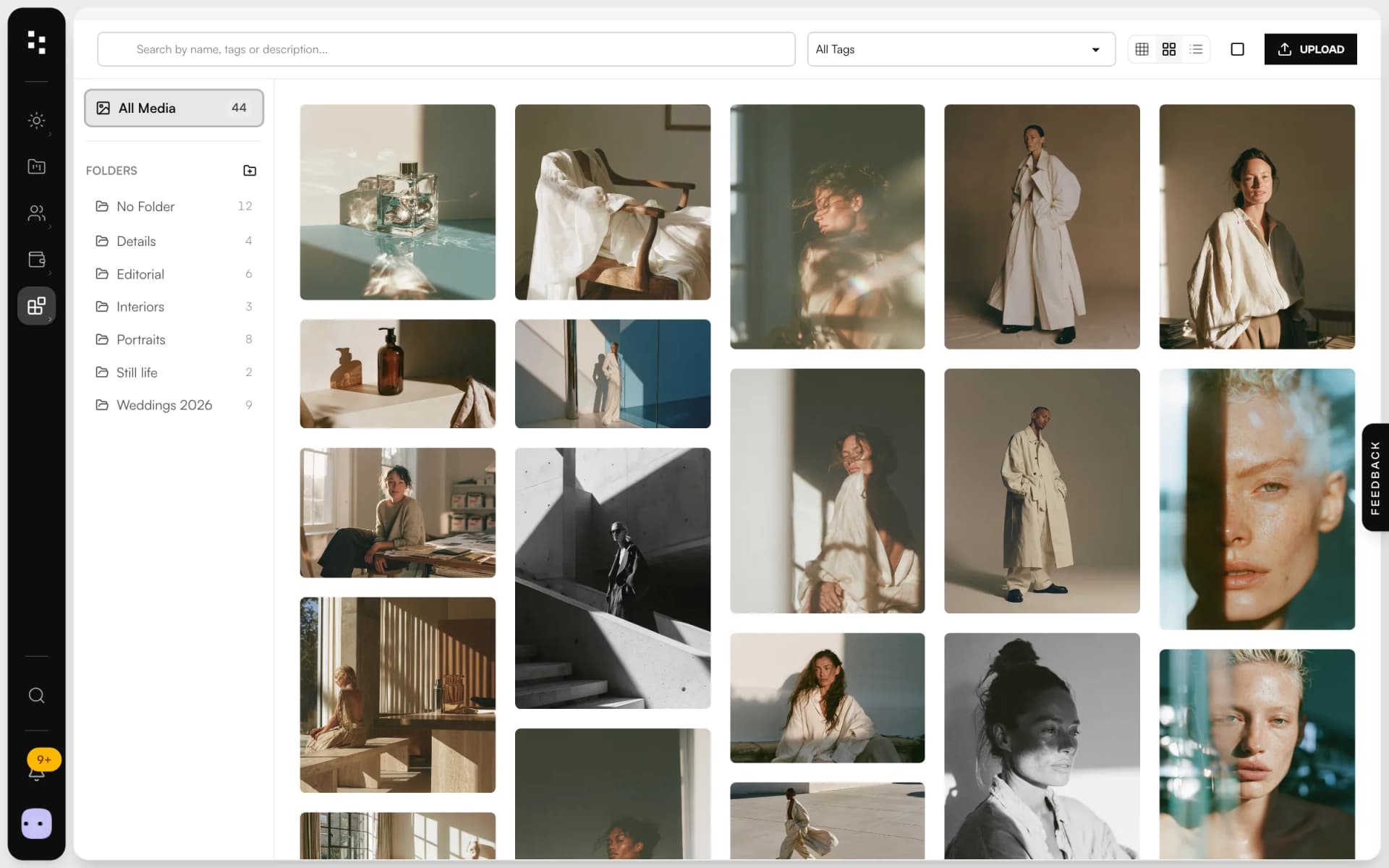
- Media libraryUpload in bulk, sort into folders and use every image across the Suite.Discover
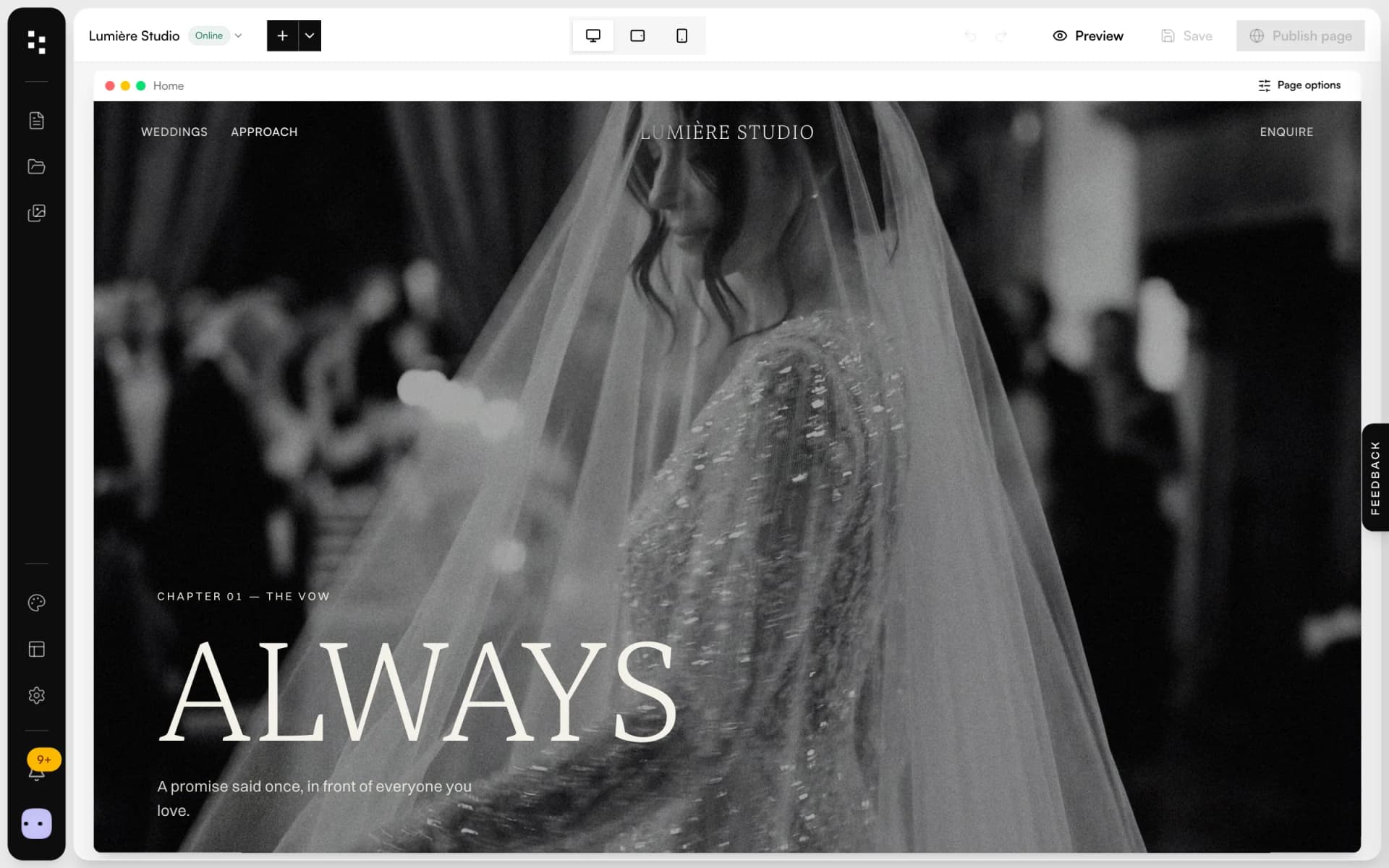
- Website builderA portfolio site that turns visits into inquiries.Discover
Your whole studio, in one place.
Start free with the whole Suite: site, clients, documents and the big day. Plans and prices are on the pricing page.